If you run a business that talks to customers on WhatsApp — sending order updates, appointment reminders, OTPs, or running marketing campaigns — you’ve probably searched for WhatsApp API pricing and found more confusion than clarity. Meta’s pricing model has changed more than once, providers markup costs differently, and the terminology (messages, templates, categories, tiers) can feel like a maze.
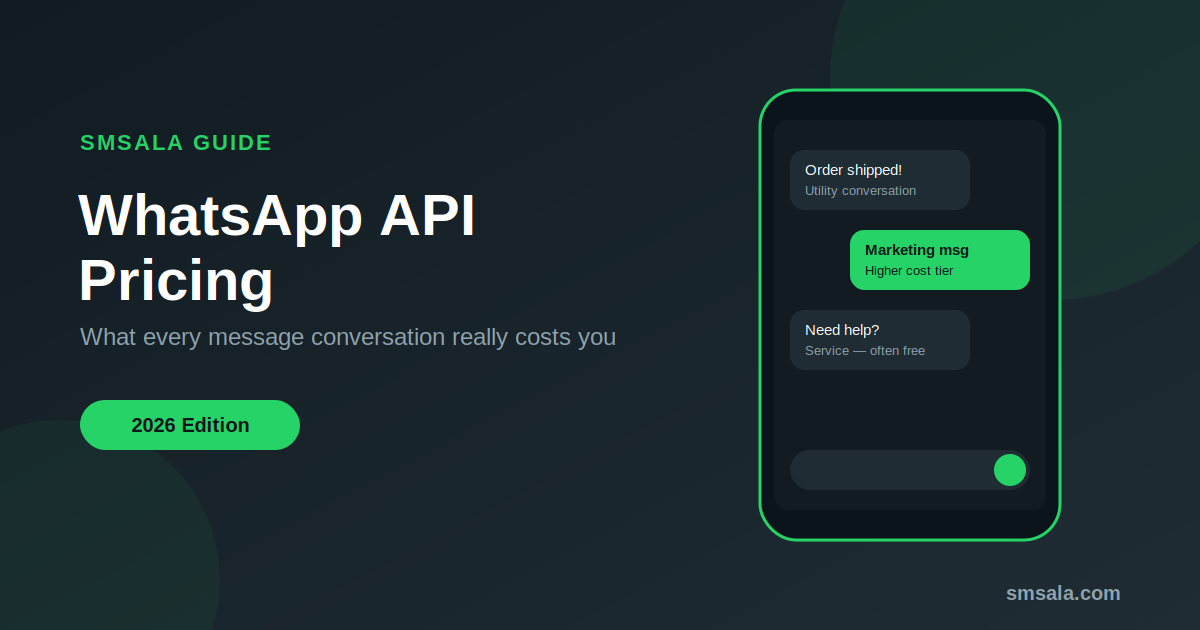
This guide breaks down exactly how WhatsApp API pricing works in 2026, what you’ll actually pay, and how to avoid overpaying for the same service.
What Is the WhatsApp Business API?
The WhatsApp Business API (now largely accessed through Meta’s Cloud API) allows medium and large businesses to send and receive WhatsApp messages at scale — something the regular WhatsApp Business app can’t handle. It’s used for:
- Order confirmations and shipping updates
- OTP and two-factor authentication
- Appointment and payment reminders
- Customer support automation (chatbots)
- Promotional and marketing broadcasts
Unlike the free WhatsApp Business app, the API is a paid, usage-based service, and understanding that usage model is the key to understanding WhatsApp API pricing.
How WhatsApp API Pricing Works
Meta has moved away from its earlier “conversation-based” (24-hour window) billing model. WhatsApp API pricing now works on a per-message basis — you’re charged for each individual message that Meta actually delivers to a user, not for a bundled 24-hour session.
Two things determine how much a message costs:
- Who the message is sent to — pricing is set per market/country, since delivery costs and demand vary by region.
- The category of the message — marketing, utility, authentication, or service. Each has its own rate.
Billing happens on delivery, not on send — if a message fails to reach the user, you aren’t charged for it. Business-initiated messages (marketing broadcasts, reminders, alerts) still require a pre-approved message template. Customer-initiated replies (a support query the customer starts) don’t need a template, though they’re still billed per message under the applicable category.
On top of Meta’s per-message fee, most businesses don’t connect to Meta directly — they go through a Business Solution Provider (BSP) like smsala.com, which adds its own service fee, platform charges, and support layer.
So your total WhatsApp API cost = Meta’s per-message fee + BSP’s markup/platform fee (+ optional add-ons like chatbot builders, CRM integration, or number rental).
Message Categories and Their Costs
Meta prices messages differently depending on their purpose. There are four message categories on the WhatsApp Business Platform:
| Category | Purpose | Typical Cost Level |
|---|---|---|
| Marketing | Promotions, offers, product announcements | Highest |
| Utility | Order updates, delivery notifications, account alerts | Moderate |
| Authentication | OTPs, login verification codes | Moderate to low |
| Service | Customer-initiated support replies | Often free or lowest cost |
Marketing messages are the most expensive because they’re the most valuable to businesses — they drive sales. Service messages, where the customer reaches out first, are usually the cheapest or even free, since Meta encourages responsive customer support.
This is one of the most important things to understand about WhatsApp API pricing: not all messages cost the same, and shifting your strategy from cold marketing blasts toward customer-initiated support can cut your bill significantly.
Meta’s Official Rates vs BSP Pricing
Meta publishes its per-message rates for every market–category pair, for transparency. However, almost no business pays Meta directly — you need a BSP to actually access the API, get your number verified, and manage templates.
BSPs like smsala.com typically price WhatsApp API access in one of these ways:
- Pass-through pricing: You pay Meta’s per-message rate plus a small fixed markup per message.
- Subscription + usage: A monthly platform fee (for the dashboard, chatbot builder, multi-agent inbox, etc.) plus per-message charges.
- Bundled packages: Prepaid message bundles at a discounted rate, similar to SMS bundles.
Because Meta’s raw rates change periodically and differ by country, always confirm current pricing directly with your provider rather than relying on numbers you saw months ago — this is one industry where “pricing as of today” genuinely matters.
Country-Wise Pricing Differences
WhatsApp API per-message pricing is not global-flat. Meta prices each country/market individually based on local telecom economics and demand. As a rough pattern seen across the industry:
- Marketing messages in markets like the US, UK, and Western Europe tend to be priced higher than in South Asia, the Middle East, or Africa.
- Utility and authentication messages are usually priced lower than marketing messages in every market.
- Service messages tend to be the most consistently low-cost or free across regions.
If your customer base spans multiple countries, your monthly WhatsApp API bill will reflect a blended rate depending on where your customers are located — not just where your business is registered.
Hidden Costs to Watch Out For
When comparing WhatsApp API pricing between providers, don’t just compare the headline “per message” rate. Watch for:
- Number verification and setup fees — some providers charge a one-time fee to verify your WhatsApp Business number.
- Template approval delays or resubmission charges — rejected templates sometimes cost time and, with some providers, money.
- Minimum monthly commitments — some BSPs require a minimum spend regardless of usage.
- Chatbot/automation builder fees — visual flow builders and AI chatbot layers are often billed separately from raw message costs.
- Multi-agent inbox seats — if multiple support staff need access, some platforms charge per agent/seat.
- API integration or CRM connector fees — connecting to Shopify, WooCommerce, Salesforce, etc. may carry add-on costs.
A provider with a slightly higher per-message rate but no hidden fees can end up cheaper overall than one with a “low headline price” and multiple add-ons.
WhatsApp API Pricing Comparison Table
Here’s a simplified framework for comparing providers (fill in actual current rates when quoting, since these change over time):
| Factor | What to Ask Your Provider |
|---|---|
| Marketing message rate | Per-message cost in your target country |
| Utility message rate | Per-message cost for order/delivery updates |
| Authentication message rate | Per-message cost for OTP/login |
| Service message rate | Is it free or discounted? |
| Platform/subscription fee | Monthly fixed cost, if any |
| Setup/verification fee | One-time cost for number onboarding |
| Template management | Any charge for creating/resubmitting templates |
| Chatbot/automation tools | Included or separately priced |
| Minimum commitment | Any lock-in or minimum monthly spend |
| Support | Is account/technical support included? |
How to Reduce Your WhatsApp API Costs
- Encourage customer-initiated messaging. Since service messages are cheaper (often free), design your website, app, or receipts to prompt customers to message you first — a “Chat with us on WhatsApp” button is more cost-efficient than a broadcast.
- Segment your marketing lists. Don’t blast every customer with every promotion. Marketing messages are your highest cost category — target only genuinely interested segments.
- Use utility templates correctly. Order and delivery updates should be tagged as utility, not marketing, since utility rates are typically lower.
- Avoid unnecessary repeat sends. Since every delivered message is billed individually now, batch related information into a single well-designed message instead of firing off several small ones.
- Negotiate volume-based bundles. If you’re sending high volumes, ask your BSP for prepaid bundle discounts instead of pay-as-you-go rates.
- Audit your template approval rate. Frequent rejections waste time and can indirectly increase costs through delays and resubmissions.
- Choose a provider with transparent, all-inclusive pricing rather than one that nickel-and-dimes for seats, bots, and integrations.
Choosing the Right Provider
When evaluating WhatsApp API pricing across providers, look beyond the number on the pricing page. A good provider should offer:
- Transparent per-message pricing with no hidden markups
- Clear breakdown by message category (marketing/utility/authentication/service)
- Fast template approval support
- Reliable uptime and delivery rates
- Local support in your time zone and language
- Flexible plans that scale as your messaging volume grows
SMSala provides WhatsApp Business API access with transparent per-message pricing, quick number verification, and support for bulk messaging, OTP delivery, and customer engagement — all without unnecessary hidden fees. If you’re comparing WhatsApp API pricing options, it’s worth requesting a live quote based on your actual expected volume and target countries, since rates can vary significantly by region and use case.
Frequently Asked Questions
Is WhatsApp API free to use? No. While WhatsApp Business App (for small businesses) is free, the WhatsApp Business API is a paid, usage-based service billed per delivered message, plus any provider platform fees.
What is the cheapest